Marketing
GTM Tools: The 14 Categories in the Market (With Tools to Use) and How to Build a GTM System That Works
Nikhil Adiga · · 17 min read
On this page
- What counts as a GTM tool?
- The 14 categories of GTM tools
- Bonus category: AI SDRs and agentic GTM platforms
- The real problem: 14 GTM tools, zero system
- How to build a GTM system that works
- Three ways to assemble your GTM stack
- Where 10ex fits in your GTM system
- Common mistakes when building a GTM tech stack
- FAQ
- Stop collecting GTM tools. Build the system.
Most B2B teams don't have a GTM tools problem. They have a GTM system problem. The typical seed-to-Series B company runs a data tool, an enrichment tool, a sequencer, a CRM, a LinkedIn tool, an intent feed, a chatbot and a scheduling link, and none of them agree on who the buyer is or what happens next.
This guide maps every category of GTM tools on the market, names the tools worth knowing in each, and shows where each one breaks. Then it shows you how to wire them into one go-to-market system that turns signals into booked meetings without a ten-person SDR team holding it together with spreadsheets.
What counts as a GTM tool?
A GTM tool is any software that moves a buyer from "doesn't know you exist" to "meeting on the calendar" to "signed." Every tool does one of four jobs:
- Find: identify who to sell to (data, signals, intent).
- Understand: learn enough to be relevant (enrichment, research, conversation intelligence).
- Reach: get in front of them (email, LinkedIn, communities, content, AI search).
- Convert and track: turn attention into meetings and pipeline (chat, scheduling, CRM, attribution).
Keep that frame in mind. The system you build later is just these four jobs connected in order.
The 14 categories of GTM tools
1. B2B contact and company databases
- What they do: Searchable records of companies and people (firmographics, titles, emails, phones) so you can build lists by industry, headcount, location and role.
- Where they break: Every database decays. People change jobs, domains change, and catch-all servers accept everything and deliver nothing. A single-source list looks clean in the export and bounces in the inbox.
- When you need one: Day one. The real question is whether you trust one database alone. You shouldn't.
- Tools to look at:
- Apollo.io: large database plus built-in sequencing; the default starting point for many startups.
- ZoomInfo: deep enterprise coverage and org charts, priced for larger teams.
- Cognism: strong European coverage and phone-verified mobiles.
- Lusha: lightweight contact lookup with a browser extension.
- LinkedIn Sales Navigator: the freshest source for titles and job changes, but no emails.
- 10ex: pulls prospects from multiple sources and cross-checks them against each other before anyone gets contacted, so you aren't betting your domain on one vendor's data.
2. Data enrichment and waterfall tools
- What they do: Turn a thin record (name plus domain) into a full one: verified email, direct dial, tech stack, funding stage, recent hires. Waterfall enrichment queries several providers in order and keeps the first verified hit.
- Where they break: Most are spreadsheet-shaped builders. You design the columns, write the logic, pay per credit and maintain it. When the person who built the table leaves, the table stops making sense.
- When you need one: As soon as bounces creep above a couple of percent or reps spend time hunting for emails.
- Tools to look at:
- Clay: the best-known waterfall builder, extremely flexible, needs an operator.
- FullEnrich: waterfall email and phone enrichment without the table-building.
- People Data Labs: raw person and company data via API for teams building their own pipeline.
- HubSpot Breeze Intelligence (formerly Clearbit): enrichment inside the HubSpot CRM.
- 10ex: runs enrichment as one step inside its agents' workflow, so nobody has to build or babysit the table.
3. Email verification tools
- What they do: Check whether an address exists and accepts mail before you send: syntax, MX records, SMTP handshake, catch-all detection.
- Where they break: Catch-all domains. A verifier can tell you a domain accepts everything; it can't tell you the person still works there. Verification belongs after multi-source enrichment, not instead of it.
- When you need one: Before every send. It's the cheapest insurance in your stack.
- Tools to look at:
- ZeroBounce: verification plus deliverability and inbox-placement tooling.
- NeverBounce: fast bulk cleaning with many native integrations.
- Kickbox: developer-friendly API verification.
- MillionVerifier: low-cost bulk verification for high volume.
4. Buying signal and intent data tools
- What they do: Tell you when to reach out, not just who. Signals include job postings, funding rounds, leadership changes, tech-stack changes, website visits and community activity. A company hiring its first SDR is telling you it needs pipeline.
- Where they break: Signals rot fast. Most teams route an intent feed into a dashboard nobody opens and act days late. A signal with no automated next step is trivia.
- When you need one: Once your ICP is locked and you want to stop spraying.
- Tools to look at:
- 6sense and Demandbase: account-level intent and ABM platforms, built for larger teams.
- Bombora: third-party topic intent across a publisher co-op.
- G2 Buyer Intent: shows which accounts research your category on G2.
- UserGems: tracks champions and past buyers when they change jobs.
- Common Room: pulls signals from communities, product usage and social into one view.
- 10ex: its signal agents watch for triggers like SDR job posts and funding, then act on them immediately instead of filing them in a report.
5. Website visitor identification
- What they do: Resolve anonymous traffic to companies (and sometimes people), especially on high-intent pages like pricing and comparisons.
- Where they break: Match rates vary, remote work blurs IP data, and person-level identification raises privacy and compliance questions in many regions. Treat company-level matches as actionable and person-level matches as hints.
- When you need one: When you have real traffic and nobody follows up on it.
- Tools to look at:
- RB2B: person-level identification for US traffic, pushed to Slack.
- Warmly: visitor identification plus live chat and automated follow-up.
- Dealfront (formerly Leadfeeder): company-level identification, strong in Europe.
- Koala: visitor and product-usage intent for PLG teams.
6. Cold email sequencers and sales engagement platforms
- What they do: Send multi-step sequences, rotate mailboxes, manage warm-up, track replies and stop sequences on response. Enterprise platforms add calls, tasks and manager analytics.
- Where they break: They're execution rails, not strategy. A sequencer will send a bad message to the wrong person 10,000 times. Enterprise tiers are built around managing human reps, which is overhead a five-person startup doesn't need.
- When you need one: Once you send more than a handful of cold emails a day.
- Tools to look at:
- Outreach and Salesloft: enterprise sales engagement for managed SDR teams.
- Instantly and Smartlead: high-volume cold email with unlimited mailboxes and warm-up.
- lemlist: personalized multichannel sequences (email plus LinkedIn).
- Reply.io: multichannel sequences with AI-assisted writing.
- 10ex: its agents write, send and follow up on sequences themselves, then handle replies, so there's no rep queue to manage.
7. Email deliverability and inbox infrastructure
- What they do: Set up secondary sending domains and mailboxes, configure SPF, DKIM and DMARC, warm new inboxes, and monitor placement and blacklists.
- Where they break: Infrastructure keeps you out of spam; it can't fix bad lists or irrelevant copy. Bounces and complaints burn a perfect setup in a week.
- When you need one: Before your first cold campaign. Never send cold outreach from your primary domain.
- Tools to look at:
- Google Workspace and Microsoft 365: the mailboxes themselves.
- Mailforge and Infraforge: bulk domain and mailbox provisioning for cold email.
- MailReach and Warmbox: inbox warm-up and reputation monitoring.
- GlockApps: inbox-placement and spam testing.
8. LinkedIn prospecting and automation tools
- What they do: Search and filter LinkedIn, send connection requests and messages in sequence, engage with posts and sync activity to your CRM.
- Where they break: Platform limits are strict and enforcement is real. Aggressive automation gets accounts restricted. Use LinkedIn as one touch in a coordinated sequence, not a mass-DM cannon.
- When you need one: If your buyers are founders, growth leaders and sales leaders, they live on LinkedIn.
- Tools to look at:
- LinkedIn Sales Navigator: the search and lead-list foundation.
- HeyReach: runs outreach across multiple LinkedIn accounts, built for agencies and teams.
- Expandi and Dripify: cloud-based LinkedIn sequences.
- Waalaxy: simple LinkedIn plus email automation for small teams.
- 10ex: runs LinkedIn as one coordinated channel alongside email, so the same buyer gets one story instead of two disconnected campaigns.
9. Community and Reddit engagement tools
- What they do: Monitor Reddit, Slack groups and forums for threads where buyers describe the exact problem you solve, then help you respond.
- Where they break: Communities punish promotion instantly. Surfacing threads is easy; writing replies that help first is the hard part, and most teams skip it.
- When you need one: When your buyers research peer-to-peer before filling out a form. Those threads increasingly shape what AI assistants recommend, too.
- Tools to look at:
- Syften: keyword monitoring across Reddit, Hacker News, Slack communities and more.
- F5Bot: free keyword alerts for Reddit and Hacker News.
- Octolens: brand and keyword monitoring across developer and social platforms.
- Common Room: community signals tied back to accounts.
- 10ex: its Reddit agent finds the threads and drafts helpful, on-topic answers, turning community into a pipeline channel.
10. GEO and AI search visibility tools
- What they do: Generative engine optimization tools track whether ChatGPT, Perplexity, Gemini and Google's AI Overviews mention your brand when buyers ask category questions, and help you publish content those engines cite.
- Where they break: It's a young category. Answers shift between sessions and "visibility scores" can feel abstract. Track a fixed set of buyer prompts over time and tie changes to content you shipped.
- When you need one: Now, if your buyers use AI assistants to shortlist vendors.
- Tools to look at:
- Profound: AI search visibility tracking for larger brands.
- Peec AI: prompt tracking and competitor share-of-voice in AI answers.
- Otterly.AI: affordable brand monitoring across AI search engines.
- AthenaHQ: GEO monitoring with content recommendations.
- 10ex: its GEO agent tracks how AI engines answer your buyers' questions and publishes the content that gets you cited.
11. Content and SEO tools
- What they do: Keyword research, briefs, drafting, on-page optimization, rank tracking and CMS publishing.
- Where they break: They make it easy to publish a lot of forgettable posts. Volume without a point of view doesn't rank and doesn't convert.
- When you need one: When you want compounding inbound and assets your outbound can link to.
- Tools to look at:
- Ahrefs and Semrush: keyword research, backlinks and rank tracking.
- Surfer and Clearscope: content briefs and on-page optimization.
- Jasper: AI writing with brand-voice controls.
- Webflow, WordPress and Sanity: where the content lives.
- 10ex: its blog agent researches, writes and publishes posts in your brand voice, tied to the keywords your buyers search.
12. Website chatbots and conversational marketing
- What they do: Engage visitors in real time, answer product questions, qualify them and route hot prospects to a calendar.
- Where they break: Scripted decision-tree bots frustrate buyers. A bot that can't answer a pricing question and dumps people into "leave your email" is worse than a contact form.
- When you need one: When you're paying for traffic and losing visitors who would have booked if someone had answered at 11pm.
- Tools to look at:
- Intercom (Fin): AI support and sales chat.
- Qualified: pipeline-focused chat for Salesforce teams.
- Drift: conversational marketing, now part of Salesloft.
- HubSpot chatflows: built-in chat for HubSpot users.
- 10ex: its chatbot agent answers from your actual product knowledge and books qualified visitors straight onto the calendar.
13. Meeting scheduling and routing
- What they do: Let prospects book directly, route them to the right owner and send reminders that cut no-shows.
- Where they break: Rarely on their own. They break when they're the last mile of a broken system: a booking link at the end of an email nobody wanted.
- When you need one: Immediately. Removing back-and-forth is the easiest conversion lift you'll get.
- Tools to look at:
- Calendly: the standard booking link.
- Chili Piper: instant booking and routing from forms, for inbound-heavy teams.
- SavvyCal and Cal.com: flexible, cleaner alternatives (Cal.com is open source).
- Default: form enrichment, routing and scheduling in one.
14. CRM, revenue intelligence and attribution
- What they do: The CRM is the system of record. Revenue intelligence adds call recording, deal-risk alerts and forecasting. Attribution traces which channels created pipeline.
- Where they break: A CRM is only as good as the data reps enter, and most reps don't. If your CRM is a graveyard of stale contacts, every tool downstream inherits the rot.
- When you need one: From the first deal. Keep it simple early.
- Tools to look at:
- HubSpot: the default startup CRM with marketing built in.
- Salesforce: the enterprise standard, heavy to run without an admin.
- Attio, Pipedrive and Close: lighter, faster CRMs for small teams.
- Gong and Clari: revenue intelligence and forecasting.
- HockeyStack and Dreamdata: B2B attribution and journey analytics.
- 10ex: logs every touch, reply and meeting its agents create, so the record stays complete without reps typing it in.
Bonus category: AI SDRs and agentic GTM platforms
A newer category tries to replace the human glue between all of the above. It splits into two camps:
- AI SDRs such as Artisan, 11x and AiSDR focus mainly on automating outbound email and LinkedIn for a single "digital worker".
- Agentic GTM platforms such as 10ex run the whole loop with multiple autonomous agents: data, enrichment, signals, email, LinkedIn, Reddit, blog, GEO and chatbot, all ending at a booked meeting.
When you evaluate this category, ask one question: does it execute the workflow end to end, or does it hand a human a better to-do list?
The real problem: 14 GTM tools, zero system
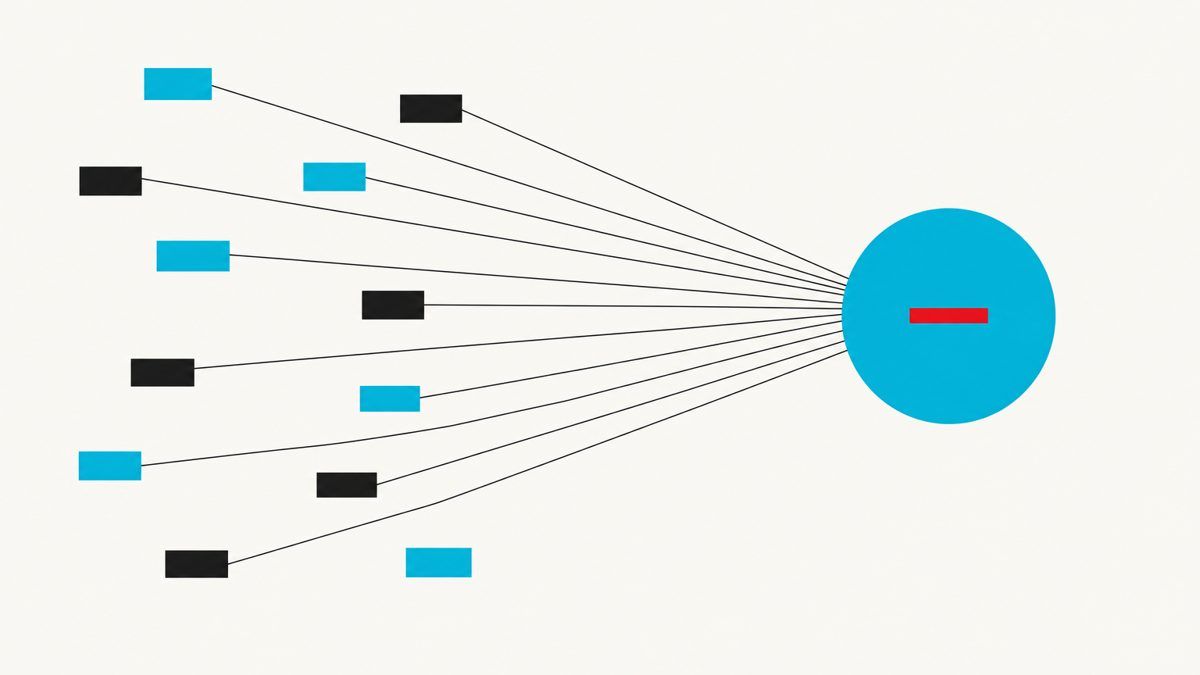
Line those categories up and the pattern is obvious. Each tool is good at one job. None of them owns the outcome.
- The database doesn't know the sequencer bounced.
- The intent feed doesn't trigger the LinkedIn touch.
- The chatbot doesn't know the visitor got three emails last week.
A human has to carry context between every pair of tools, usually your most expensive person or an SDR team hired to be the glue. That's the hidden cost of a tool-first stack:
- Latency: signals sit for days before anyone acts.
- Data drift: every tool holds its own version of the truth about the same buyer.
- Headcount creep: you add people to operate tools instead of tools that replace work.
- Subscription sprawl: eight to fifteen bills, each with seats, credits and overages.
Assist tools make humans faster. A system executes. That distinction decides whether your GTM scales with headcount or without it.
How to build a GTM system that works
A working GTM system is a loop: signal in, buyer identified, context gathered, outreach sent across channels, reply handled, meeting booked, result fed back. Build it in this order.
Step 1: Write the ICP as rules, not adjectives
- "Fast-growing B2B SaaS" is an adjective. "Seed to Series B, 10–200 employees, B2B software, US or UK, hired a first SDR or Head of Growth in the last 60 days" is a rule a machine can execute.
- Write explicit include and exclude criteria.
- Pull your best 20 customers and find what they had in common the month they bought.
Step 2: Pick three to five triggers you can act on within 48 hours
- Choose signals that map to a pain you solve, e.g. an SDR job post, a new sales or growth leader, a funding round, a pricing-page visit.
- For each trigger, write the one-line reason you're reaching out. If you can't write the line, drop the trigger.
- Typical tools: a signal source (Common Room, UserGems, G2), a visitor tool (RB2B, Dealfront), or 10ex signal agents that act on the trigger directly.
Step 3: Build the list from multiple sources and verify everything
- Pull from more than one database, cross-check emails and titles, then verify.
- Suppress catch-alls you can't confirm.
- Fewer verified contacts beat a big unverified list. Every bounce spends your domain reputation.
Step 4: Enrich for relevance, not completeness
- You don't need 60 fields per contact. You need the two or three facts that make the first line impossible to send to anyone else.
- Examples: the role they just posted, the product they just launched, the problem they described in a Reddit thread.
Step 5: Orchestrate channels as one sequence
Email, LinkedIn, communities, content and AI search shouldn't be separate programs. A strong sequence:
- Day 1: engage with the prospect's LinkedIn post, then send a short, trigger-based email.
- Day 3: LinkedIn connection request, no pitch.
- Day 5: follow-up email with one useful asset (a teardown, benchmark or relevant post).
- Day 9: final short email with a clear, low-friction ask.
Meanwhile, your content and GEO layer makes sure that when the prospect Googles you or asks ChatGPT about your category, they find you saying something sharp.
Step 6: Handle replies and book in minutes, not days
- Positive replies get an answer and a booking link immediately.
- Objections get a real answer, not a template.
- "Not now" gets a dated follow-up.
- Your chatbot does the same for inbound. Every path ends at a calendar.
Step 7: Make the CRM the memory and close the loop
- Every touch, reply, bounce and meeting writes back to one record.
- Review weekly: which triggers produced meetings, which messages got replies, which segments went cold.
- Kill what doesn't work and double what does. A system that doesn't learn is just automation.
Three ways to assemble your GTM stack
| Approach | Example stack | Best for | Main risk |
|---|---|---|---|
| Best-of-breed | Apollo + Clay + ZeroBounce + Instantly + HeyReach + HubSpot + Calendly | Teams with a RevOps owner and SDR headcount | Context lost between tools; cost and headcount grow together |
| All-in-one suite | Apollo or HubSpot Sales Hub covering data, sequencing and CRM | Small teams wanting fewer logins | Still assist-only: humans drive every step |
| Agentic GTM platform | 10ex agents running find → enrich → reach → book, writing back to your CRM | Seed–Series B teams that need pipeline without an SDR floor | Needs a sharp ICP and clear triggers up front |
Where 10ex fits in your GTM system
10ex is built for the third approach. Instead of handing you more tools to operate, it deploys autonomous agents that run the loop above:
- Ingest your product and ICP.
- Find buyers and cross-check their data across multiple sources to cut bounces.
- Act on signals the moment they fire.
- Run outreach across email, LinkedIn, Reddit, blogs, GEO and your website chatbot.
- Handle replies and book meetings.
Assist tools hand a rep a better list. 10ex agents do the work: build the list, write the message, send it, handle the reply and put the meeting on the calendar. Your CRM stays the memory; the agents do the labor that used to need an SDR team.
Common mistakes when building a GTM tech stack
- Buying tools before defining the ICP. Tools amplify targeting. Bad targeting amplified is faster failure.
- Trusting one data source. Single-source lists are the fastest route to a burned domain.
- Treating signals as reports. If a signal doesn't trigger an action automatically, it gets acted on late or never.
- Running channels in silos. Separate email, LinkedIn and content programs send mixed messages to the same buyer.
- Measuring activity instead of meetings. Emails sent is an input. Meetings booked is the outcome.
- Hiring people to be the glue. If SDRs spend their day moving data between tools, you've built a headcount problem, not a GTM system.
FAQ
What are GTM tools? Software that helps a company find, reach, convert and track buyers: databases (Apollo, ZoomInfo), enrichment (Clay), intent (6sense, Bombora), sequencers (Outreach, Instantly), LinkedIn automation (HeyReach), GEO (Profound, Peec AI), chatbots (Intercom), scheduling (Calendly) and CRM (HubSpot, Salesforce).
What is the minimum GTM stack for an early-stage startup? A data source, a verifier, separate sending infrastructure, a sequencer, a scheduling link and a lightweight CRM. Add signals and LinkedIn next, or replace most of it with an agentic platform like 10ex that runs the steps end to end.
How many GTM tools should a seed-stage company use? As few as can cover find, understand, reach and convert. Every added tool adds a handoff, and every handoff loses context.
What's the difference between a GTM tool and a GTM system? A tool does one job when a person operates it. A system connects every job (signal, list, enrichment, outreach, reply, meeting, feedback) so pipeline happens without someone pushing each step.
Can AI agents replace SDRs? For the repetitive core of the job (list building, research, first-touch outreach, follow-up and booking), yes. Agents run those workflows continuously, so your team spends its time on conversations that close.
Stop collecting GTM tools. Build the system.
The market is full of good GTM tools, and you could spend a year evaluating all of them. The teams that win don't own the most software. They own a loop that turns a signal into a booked meeting while everyone else is still exporting CSVs. Define the ICP, pick your triggers, verify your data, orchestrate your channels, and make every path end at a calendar.
If you'd rather have agents run that loop for you, see how 10ex books meetings on autopilot.